reaper@re4perz3d:~/writeups$ cat obfuscated.md
Securinets Beginner CTF — Obfuscated
Challenge Description
“Analyze the provided PCAP file and recover the flag.”
This forensics challenge involves network traffic analysis, file extraction, JavaScript deobfuscation, and data decoding. Participants must extract an obfuscated JavaScript file from HTTP traffic, deobfuscate it to reveal a reversed Base64 string, and decode it to uncover the real flag.
Solution Walkthrough
🕵️♂️ Step 1: Extract the Downloaded File from PCAP
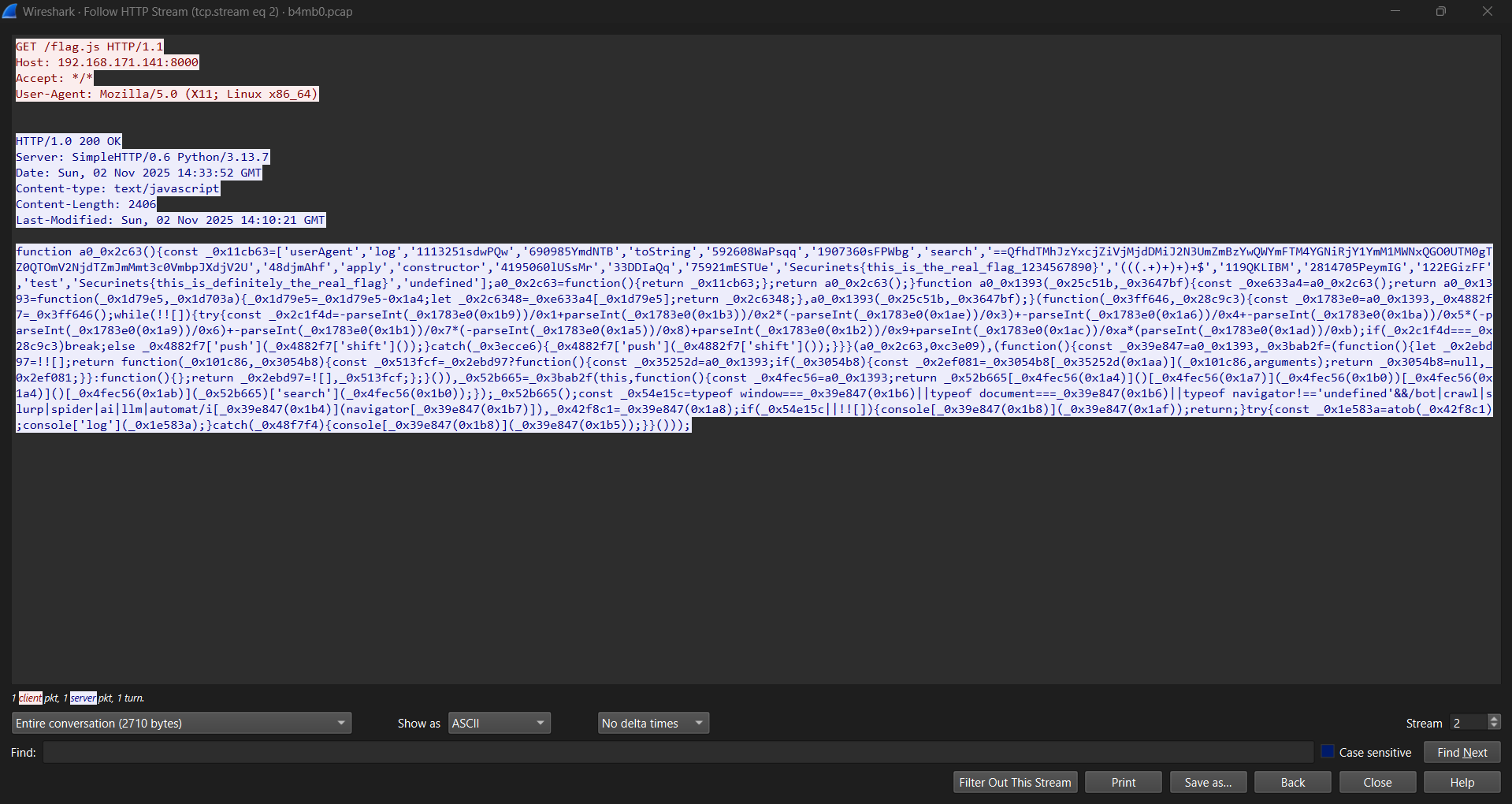
Open b4mb0.pcap in Wireshark and look for HTTP traffic.
Apply the display filter:
httpLocate the HTTP GET request for
/flag.js:Right-click the corresponding HTTP 200 OK response packet →
Follow → HTTP Stream
or go to File → Export Objects → HTTPSave the object named
flag.js.
✅ You now have the obfuscated JavaScript payload.
🔐 Step 2: Deobfuscate the JavaScript Code
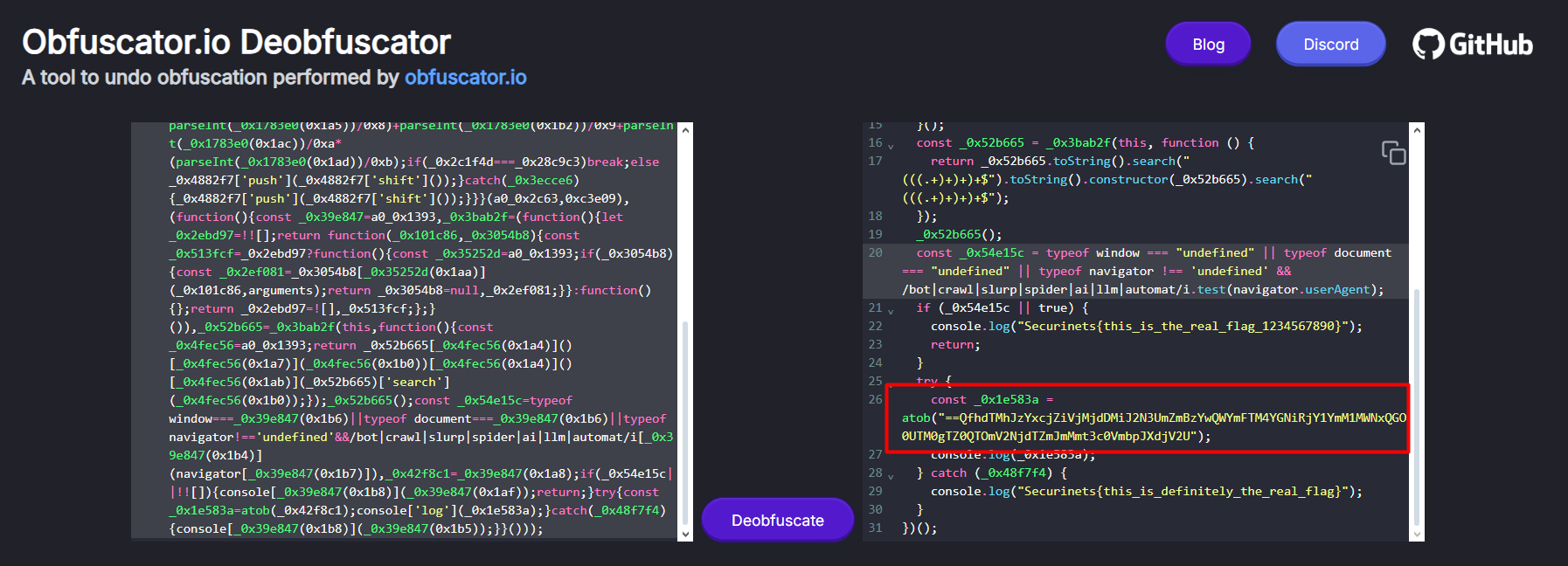
The flag.js file contains heavily obfuscated JavaScript that hides a Base64 string and fake flags.
To deobfuscate it:
- Go to https://obf-io.deobfuscate.io
- Paste the raw
flag.jscontent - Click Deobfuscate
The output will reveal multiple fake flags and a suspicious Base64-like string that starts with ==, indicating it’s likely reversed:
// ... fake flags ...
"Securinets{this_is_definitely_the_real_flag}",
"Securinets{fake_flag_do_not_submit_1234567890}",

// ... and the real payload ...
"==QfhdTMhJzYxcjZiVjMjdDMiJ2N3UmZmBzYwQWYmFTM4YGNiRjY1YmM1MWNxQGO0UTM0gTZ0QTOmV2NjdTZmJmMmt3c0VmbpJXdjV2U"
🔓 Step 3: Decode the Reversed Base64 String
The string:
("==QfhdTMhJzYxcjZiVjMjdDMiJ2N3UmZmBzYwQWYmFTM4YGNiRjY1YmM1MWNxQGO0UTM0gTZ0QTOmV2NjdTZmJmMmt3c0VmbpJXdjV2U")
is not valid Base64 in this orientation — but notice it ends with U and begins with ==, a strong hint that it’s reversed.
Use CyberChef to decode it:
- Paste the string into the CyberChef input
- Apply these operations (in order):
- Reverse
- From Base64
📎
The result is:
✅ Flag: Securinets{f2bfe7c7ef944e841548d15c52f5b4b4f811fad0c0ffe77bb07c25bf71c2a17a}
💡 Key Takeaways
- Always inspect HTTP objects in PCAPs — files are often hidden in plain sight.
- Obfuscated scripts may contain reversed or encoded payloads — look for anomalies like
==at the start. - Tools like https://obf-io.deobfuscate.io and CyberChef are essential for quick reverse-engineering in CTFs.
📚 Tools Used
- Wireshark – Network protocol analyzer
- https://obf-io.deobfuscate.io – JavaScript deobfuscator
- CyberChef – Data decoding & transformation
🔒 Note: The fake flags in the script are intentional red herrings — always verify decoded output!